







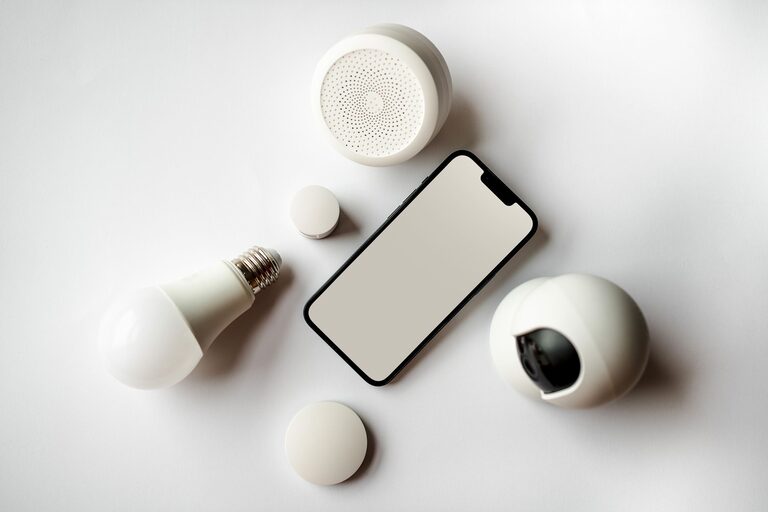
Smart home technology is no longer limited to futuristic houses or complicated systems. Today, many devices are designed to handle small, everyday tasks, such as adjusting the lights, managing a shopping list, or reminding you to lock the door. When used thoughtfully, these tools can make daily routines more convenient while helping your home feel more comfortable and organized.
The best smart home devices are not always the most advanced. In many cases, a simple product that solves a common problem can have the biggest impact. Here are several practical options to consider.
Smart Speakers for Hands-Free Help
Smart speakers can act as convenient control centers for a home. With a voice command, you can play music, set a timer, check the weather, add items to a shopping list, or control compatible devices.
They are especially helpful when your hands are busy. For example, you can ask a smart speaker to set a kitchen timer while preparing a meal or add an item to your shopping list while cleaning.
Common uses include:
– Setting alarms, reminders, and timers
– Checking schedules and weather updates
– Playing music, podcasts, or audiobooks
– Creating shopping lists
– Controlling compatible lights and appliances
Before buying one, consider where it will be placed and which devices you want it to control. A speaker does not need to be expensive to be useful, but it should offer clear sound and reliable voice recognition.
Smart Lighting for Easier Mornings and Evenings
Smart light bulbs and switches make it possible to control lighting from an app, voice command, or automated schedule. This can be useful when you want lights to turn on before you arrive home or gradually brighten in the morning.
You can also create lighting routines for different activities. A “morning” routine might turn on bright lights in the kitchen, while an “evening” routine could lower the brightness in living areas.
Smart lighting can help with:
– Turning lights on and off remotely
– Creating schedules
– Adjusting brightness
– Setting different moods for work or relaxation
– Avoiding the need to search for a switch in the dark
Smart bulbs are often easy to install because they can replace existing bulbs. Smart switches may offer a more permanent solution, but installation can be more involved. If you rent your home or want a quick setup, smart bulbs may be the better choice.
Robot Vacuums for Routine Cleaning
Robot vacuums can take care of regular floor cleaning with limited effort. Many models can be scheduled to run at specific times and return to a charging station when their battery is low.
Some devices can map rooms, avoid certain areas, or clean specific spaces through a mobile app. While a robot vacuum may not replace occasional deep cleaning, it can help reduce the amount of dust, crumbs, and pet hair that build up between cleaning sessions.
When comparing models, look for:
– A schedule feature
– A battery that suits your home size
– Easy-to-empty dust containers
– Brushes designed for your floor type
– Virtual boundaries or no-go zones
It is also important to prepare the floor before running the device. Loose cables, small toys, and clothing can interrupt the cleaning process or become caught in the brushes.
Smart Plugs for Everyday Appliances
Smart plugs are among the simplest ways to add convenience to an existing home. They connect to a standard outlet and allow you to control certain appliances with an app or voice command.
You might use a smart plug for a lamp, fan, coffee maker, or seasonal decoration. Scheduling features can turn a device on or off at set times, which is useful for creating regular routines.
Smart plugs can be helpful for:
– Turning lamps on automatically
– Scheduling a fan to run at certain times
– Controlling appliances from another room
– Creating simple morning or evening routines
– Reducing the need to reach behind furniture
Always check the smart plug’s power rating and use it only with compatible appliances. Devices that produce heat or draw significant power may require special consideration. Follow the manufacturer’s instructions and avoid connecting products that are not suitable for remote operation.
Video Doorbells and Smart Locks
Smart doorbells and locks can make entry and deliveries easier. A video doorbell can send an alert when someone approaches, while a smart lock may allow you to unlock a door using a phone, code, or physical key, depending on the model.
These devices can be useful for everyday situations, such as receiving a package while you are in another room or allowing a family member to enter without making an extra key.
Features to consider include:
– Motion notifications
– Two-way audio
– Temporary access codes
– Automatic locking
– Compatibility with your existing door hardware
– Backup entry options
Security should be a priority when choosing connected entry devices. Use strong, unique passwords, install software updates, and select products from established manufacturers. A backup method, such as a physical key or emergency power option, can also be valuable.
Smart Thermostats for Simple Climate Control
A smart thermostat can make temperature adjustments more convenient by allowing you to control settings from a phone or create a schedule. Some models can learn household patterns, while others use sensors to help manage temperatures in different areas.
For example, you might set a routine that lowers the temperature when everyone is away and adjusts it before people return. This can reduce the need for constant manual changes.
Before purchasing one, check whether it is compatible with your heating and cooling system. Installation may be straightforward for some homes but more complicated for others. If you are unsure, consult the product instructions or a qualified installer.
Smart Displays for Family Organization
A smart display combines voice controls with a screen, making it useful for visual information. It can show calendars, timers, recipes, weather updates, reminders, and shopping lists.
In a shared household, a smart display can serve as a central place for daily planning. Family members can check appointments, add items to a list, or follow cooking instructions without handling a phone.
Some practical uses include:
– Displaying a shared calendar
– Following step-by-step recipes
– Showing reminders
– Making video calls
– Tracking timers while cooking
Place the display in a convenient location, such as the kitchen or a home office. Review privacy settings if the device includes a camera or microphone.
Tips for Creating a Useful Smart Home
A smart home does not need to include many devices. Start with one routine that causes inconvenience and choose a product that addresses it directly.
Keep these tips in mind:
– Begin with one or two devices.
– Check that products work with the same platform.
– Use clear names for devices and rooms.
– Create schedules only when they match your real routine.
– Update device software regularly.
– Review privacy and notification settings.
– Keep manual controls where possible.
Compatibility is especially important. Devices from different brands may not work together smoothly, so check supported platforms before buying. A smaller group of compatible products is often easier to manage than a large collection of unrelated devices.
Making Convenience the Main Goal
Smart home devices work best when they quietly support routines rather than create extra work. A scheduled light, a robot vacuum, or a smart plug can save only a few minutes at a time, but those small improvements can add up throughout the week.
Focus on practical needs, choose reliable products, and introduce new devices gradually. With the right approach, smart home technology can make daily tasks simpler while keeping your home comfortable and easy to manage.